| Epson Perfection 4490 Photo |
| SCANNER TYPE |
| SUB-SCANNING METHOD |
| PhotoELECTRIC DEVICE |
| MAXIMUM EFFECTIVE SCAN AREA |
| LIGHT SOURCE |
| OPTICAL RESOLUTION |
| OPTICAL DENSITY |
| PUSH BUTTONS |
| |
Start
Copy
Scan to Email
Scan to PDF |
| FILM SCANNING |
| |
Built-in Integrated Transparency Unit
35mm strip x 12 frames strip
35mm slide x 4 frames
6cm x 12cm medium format (120/220) x 1 frame |
| PIXELS / LINE |
| OUTPUT RESOLUTION RANGE |
| GREYSCALE |
| |
16-bit (65,536 greyscale levels) external
16-bit (65,536 greyscale levels) internal |
| COLOUR |
| |
48-bit (281,474 billion colours) external
48-bit (281,474 billion colours) internal |
| SCANNING SPEED |
| MONOCHROME REFLECTIVE |
A4 300dpi 18 sec 1 |
| COLOUR REFLECTIVE |
A4 300dpi 18 sec 2 |
| 35mm POSITIVE FILM |
600dpi 34 sec |
| 35mm NEGATIVE FILM |
600dpi 35 sec |
| SUPPORTED PLATFORMS |
| USB 2.0: |
Microsoft® Windows® XP Home Edition / XP Professional / ME / 98SE / 2000 Professional / Mac® OS X 10.2.7 or later |
| USB 1.1: |
Microsoft® Windows® XP Home Edition / XP Professional / ME / 98SE / 2000 Professional / Mac® OS X 10.2.7 or later |
| INTERFACES |
| |
USB 2.0++ |
| ++The functionality of the USB port(s) must be ensured by the vendor of the Host. |
| ENVIRONMENTAL CONDITIONS |
| TEMPERATURE |
5° to 35°C (Operating) |
| HUMIDITY |
10% to 80% without condensation (Operating) |
| ELECTRICAL SPECIFICATION |
| VOLTAGE |
220 ~ 240V |
| FREQUENCY |
50 ~ 60 Hz |
| POWER CONSUMPTION |
20W (Operating)
13.5W (Stand-by mode)
3.8W (Sleep mode) |
| BUNDLED SOFTWARE |
Epson Scan*
Epson Creativity Suite*
Adobe Photoshop Elements 3.0*
ABBYY Finereader Sprint 6 / Sprint 6 Plus*
Newsoft Presto Biz 4 LE*
Online User Guide*
* Microsoft® Windows® / Mac® OS 10.2.7 or later |
| SCANNING SPEED DATA PATTERNS |
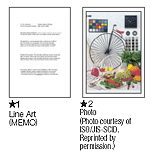
| The thumbnails below show the scanning patterns to determine scanning speed specification. |
 |
System Configuration for Scanning Speed
CPU: Pentium 4 2.4GHz
RAM: 512MB
I/F: USB 2.0 Hi-Speed
OS: Windows® XP Professional Edition
Soft: Adobe Photoshop® 7.01E |
| Scanning speed test results vary according to system configuration, dpi setting, and scan mode setting. However, documents and photos other than those pictured above can be substituted without significantly affecting test results. |
| OPTIONS |
| AUTOMATIC DOCUMENT FEEDER |
|
B12B813392 |
| |
Automatically scans A4+ documents
Maximum tray capacity - 30 sheets
Scanning speed - 3ppm |
| WARRANTY |
| 12 MONTHS RETURN TO BASE |
| OPTIONAL ADDITIONAL 2 YEAR WARRANTY |
3YWP4490P |
| For warranty terms see Warranty website |