Back catalogue – Perfection 1670

- High speed operation - with USB 2.0 Hi-speed interface and on-board high-speed ASIC processor
- Optional Transparency Unit for scanning 35mm slides and films
- High resolution - 1600 dpi (3200 dpi sub-scan) with revolutionary MatrixCCD technology
- Total software solution - bundled with photo editing, OCR and Epson SMART Panel software
- Colour Restoration function to substantially restore faded photos to their former glory
- Dust Removal function automatically minimises dust from film and negatives (with optional transparency unit)
The Epson Perfection 1670 offers:
High speed scanning - The PERFECTION 1670 features a USB 2.0 Hi-speed interface, together with its own dedicated on-board ASIC (Application Specific Integrated Circuit) for image processing. This results in consistent high speed scanning of film (with optional Transparency Unit) and reflective documents.
High image quality - The PERFECTION 1670 is equipped with a MatrixCCD (Charge Coupled Device) and new Micro Lens technologies, providing it with an advanced 1600 dpi main scanning ability. The use and precise positioning of these devices combine to deliver superb light sensitivity that is critical in very high resolution scanning without the need for a large carriage. The amazing clarity of scans is given a further boost with the optical carriage driven at 3200dpi with Micro Step Drive (sub-scanning) technology.
Optional Transparency Unit - With the optional transparency unit (TPU), you can scan in your negatives and slides. When used in conjunction with Epson Scan, the TPU supports simultaneous scanning of strip film (three frames) or mounted slides (two frames), saving each frame as a separate image file. Scanning in your negatives can actually result in a larger image, with more detail captured than if you scan photos printed at a photo lab. Better still, you can control the size of the prints and crop out any unwanted elements, all in the privacy of your own home.
Software
Smart Panel - As a result of its newly designed interface, the EPSON Smart Panel software represents a perfect balance between power and ease-of-use, ensuring scanning to file, OCR, E-mail, PDF, Web and PDAs. Even the scanning of business cards is little more than a mouse click away.
Business Card - New to the Smart Panel family of applets is Newsoft's Presto! BizCard 4.0LE. Combining OCR, database and integration technologies, this versatile software allows you to scan business cards which are automatically converted and stored in an easy to search database. Add to this its ability to synchronize with and export to industry standard desktop applications and you have one of the most innovative scanning software products currently available.
EPSON Scan - Complementing the Epson Smart Panel is a comprehensive set of tools brought together in the EPSON Scan Driver/ Interface. The choice of three different user interface mode configurations ensures it can quickly adapt to the user’s scanning experience and needs.
Photo Restoration - Among the new Epson Scan tools are Colour Restoration and Dust Removal. Designed specifically for high quality photo and film scanning, Colour Restoration employs sophisticated technology to substantially restore image colour that has been subjected to fading and other color loss influences, such as light and airborne contaminants. With the Dust Removal feature, Epson Scan automatically detects the figure of dust shadows on film or negatives (with optional Transparency Unit), then corrects the shadow to match neighbouring picture elements (pixels).
Image Editing - For powerful image editing, the PERFECTION 1670 includes ArcSoft PhotoImpression 4 software. This easy to use software package provides access to a vast array of image editing features, as well as tools to create a variety of cards, frames and calendars. You are only limited by your imagination!
PRINT Image Matching II Technology
Incorporated into the Epson Smart Panel software is PRINT Image Matching (P.I.M.) II. With P.I.M II, you can select from 11 different photo scenery types with which to optimise your image. Simply select the scene that you are scanning (people, landscape etc) and P.I.M. II will apply highly intelligent, pre-set image adjustments to give you the best quality image possible.
| Epson PERFECTION 1670 | |
|---|---|
| B11B162057 | |
| SCANNER TYPE | |
| Flatbed colour image scanner | |
| SUB-SCANNING METHOD | |
| Fixed document and moving carriage | |
| PHOTOELECTRIC DEVICE | |
| 6 line alternated Colour CCD with On-Chip Microlens | |
| DOCUMENT SIZE | |
| 216 x 297mm (A4 - Letter size) | |
| LIGHT SOURCE | |
| White cold cathode fluorescent lamp | |
| OPTICAL RESOLUTION | |
| 1,600 x 3,200dpi with Micro Step Drive | |
| OPTICAL DENSITY | |
| 3.1D | |
| PIXELS/LINE | |
| 40800 pixels (6800 x 2 line x 3 colours) | |
| OUTPUT RESOLUTION | |
| 50 to 6,400, 9,600, 12,800dpi | |
| ZOOM | (performed with zoom function) |
| GRAYSCALE | 16-bit (65,536 grayscale levels) external 16-bit (65,536 grayscale levels) internal |
| COLOUR | 48-bit (281,474 billion colours) external 48-bit (281,474 billion colours) internal |
| SCANNING SPEED | |
| MONOCHROME | A4 300dpi: 13 sec1 |
| 24 bit COLOUR | A4 300dpi: 18 sec2 |
| SUPPORTED PLATFORMS | |
| Microsoft® Windows® 98/Me/2000 Professional/XP Home Edition/ XP Professional (pre-installed model or upgrade of Windows® 98/Me/ 2000 Professional pre-installed model) |
|
| Mac OS® 8.6 to 9.x, Mac OS® X 10.2.1 or later | |
| INTERFACES | |
| USB 2.0++ (Type-B receptacle connector) x 1 ++The functionality of the USB port(s) must be ensured by the vendor of the Host. |
|
| ENVIRONMENTAL CONDITIONS | |
| TEMPERATURE | 5° to 35°C (Operating) |
| HUMIDITY | 10% to 80% without condensation (Operating) |
| ELECTRICAL SPECIFICATIONS | |
| VOLTAGE | AC220 ~ 240V |
| FREQUENCY | 50 to 60Hz |
| POWER CONSUMPTION | 17W (Operating) |
| OPTIONS | |
| FILM ADAPTOR-LID TYPE | B12B813353 |
| (comes standard with Epson PERFECTION 1670 PHOTO) | |
| BUNDLED SOFTWARE | |
| Epson Scan* | |
| Epson Smart Panel* | |
| ArcSoft Photo Impression 4.0* | |
| Presto! PixExpress (PDA Software Required)* | |
| Adobe Acrobat Reader (Windows only) | |
| Online User Guide* * Windows / Mac OS® 8.6 to 9.x, Mac OS® X 10.2.1 or later |
|
| SCANNING SPEED DATA PATTERNS | |
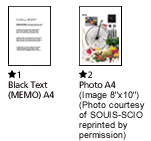
| The thumbnails below show the scanning patterns used to determine scanning speed specifications. | |
 |
|
| Scanning Speed Test System Configuration | |
| CPU | Pentium 4 2.4 GHz |
| RAM | 516MB |
| OS | Windows XP Home Edition |
| SOFTWARE | Adobe Photoshop 7.01E |
| I/F | USB 2.0 Hi-Speed |
| Scanning speed test results vary according to system configuration, dpi setting, and scan mode setting. However, documents and photos other than those pictured above can be substituted without significantly affecting test results. | |
| Epson PERFECTION 1670 | |
|---|---|
| B11B162057 | |
| SCANNER TYPE | |
| Flatbed colour image scanner | |
| SUB-SCANNING METHOD | |
| Fixed document and moving carriage | |
| PHOTOELECTRIC DEVICE | |
| 6 line alternated Colour CCD with On-Chip Microlens | |
| DOCUMENT SIZE | |
| 216 x 297mm (A4 - Letter size) | |
| LIGHT SOURCE | |
| White cold cathode fluorescent lamp | |
| OPTICAL RESOLUTION | |
| 1,600 x 3,200dpi with Micro Step Drive | |
| OPTICAL DENSITY | |
| 3.1D | |
| PIXELS/LINE | |
| 40800 pixels (6800 x 2 line x 3 colours) | |
| OUTPUT RESOLUTION | |
| 50 to 6,400, 9,600, 12,800dpi | |
| ZOOM | (performed with zoom function) |
| GRAYSCALE | 16-bit (65,536 grayscale levels) external 16-bit (65,536 grayscale levels) internal |
| COLOUR | 48-bit (281,474 billion colours) external 48-bit (281,474 billion colours) internal |
| SCANNING SPEED | |
| MONOCHROME | A4 300dpi: 13 sec1 |
| 24 bit COLOUR | A4 300dpi: 18 sec2 |
| SUPPORTED PLATFORMS | |
| Microsoft® Windows® 98/Me/2000 Professional/XP Home Edition/ XP Professional (pre-installed model or upgrade of Windows® 98/Me/ 2000 Professional pre-installed model) |
|
| Mac OS® 8.6 to 9.x, Mac OS® X 10.2.1 or later | |
| INTERFACES | |
| USB 2.0++ (Type-B receptacle connector) x 1 ++The functionality of the USB port(s) must be ensured by the vendor of the Host. |
|
| ENVIRONMENTAL CONDITIONS | |
| TEMPERATURE | 5° to 35°C (Operating) |
| HUMIDITY | 10% to 80% without condensation (Operating) |
| ELECTRICAL SPECIFICATIONS | |
| VOLTAGE | AC220 ~ 240V |
| FREQUENCY | 50 to 60Hz |
| POWER CONSUMPTION | 17W (Operating) |
| OPTIONS | |
| FILM ADAPTOR-LID TYPE | B12B813353 |
| (comes standard with Epson PERFECTION 1670 PHOTO) | |
| BUNDLED SOFTWARE | |
| Epson Scan* | |
| Epson Smart Panel* | |
| ArcSoft Photo Impression 4.0* | |
| Presto! PixExpress (PDA Software Required)* | |
| Adobe Acrobat Reader (Windows only) | |
| Online User Guide* * Windows / Mac OS® 8.6 to 9.x, Mac OS® X 10.2.1 or later |
|
| SCANNING SPEED DATA PATTERNS | |
| The thumbnails below show the scanning patterns used to determine scanning speed specifications. | |
|
|
| Scanning Speed Test System Configuration | |
| CPU | Pentium 4 2.4 GHz |
| RAM | 516MB |
| OS | Windows XP Home Edition |
| SOFTWARE | Adobe Photoshop 7.01E |
| I/F | USB 2.0 Hi-Speed |
| Scanning speed test results vary according to system configuration, dpi setting, and scan mode setting. However, documents and photos other than those pictured above can be substituted without significantly affecting test results. | |