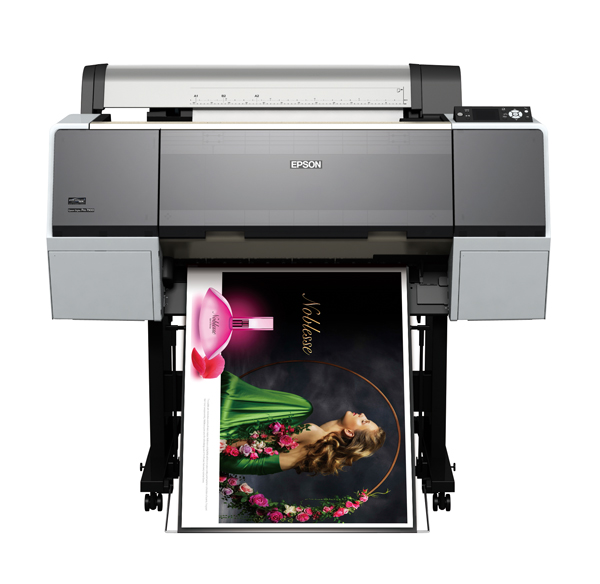
Epson Stylus Pro 7890 - 24" Support

Attention: Your operating system may not be detected correctly. It is important that you manually select your Operating System from above to ensure you are viewing compatible content.
Epson Stylus Pro 7890 - 24" Support
Downloads

Downloads

User Manuals
Network Guide
Additional information:
PDF File
View
Setup Guide
Additional information:
PDF File
View
SpectroProofer Setup Guide
Unpacking Guide
Additional information:
PDF File
View
User's Guide (PDF)
Additional information:
PDF File
View
ICC Profile
Epson Stylus Pro 9890_9908_7890_7908 Cold_Press_Bright_MK
1
21 December 2012
1.72 MB
Epson Stylus Pro 9890_9908_7890_7908 Cold_Press_Bright_MK.icc
Additional information:
Use UltraSmooth Fine Art Paper Driver setting with this profile, Matte Black Ink Only
Download
Epson Stylus Pro 9890_9908_7890_7908 Cold_Press_Natural_MK
1
21 December 2012
1.72 MB
Epson Stylus Pro 9890_9908_7890_7908 Cold_Press_Natural_MK.icc
Additional information:
Use UltraSmooth Fine Art Paper Driver setting with this profile, Matte Black Ink Only
Download
Epson Stylus Pro 9890_9908_7890_7908 Hot_Press_Bright_MK
1
21 December 2012
1.72 MB
Epson Stylus Pro 9890_9908_7890_7908 Hot_Press_Bright_MK.icc
Additional information:
Use UltraSmooth Fine Art Paper Driver setting with this profile, Matte Black Ink Only
Download
Epson Stylus Pro 9890_9908_7890_7908 Hot_Press_Natural_MK
1
21 December 2012
1.72 MB
Epson Stylus Pro 9890_9908_7890_7908 Hot_Press_Natural_MK.icc
Additional information:
Use UltraSmooth Fine Art Paper Driver setting with this profile, Matte Black Ink Only
Download
Epson Stylus Pro 9890_9908_7890_7908 Traditional Photo Paper_PK
1
21 December 2012
1.72 MB
Epson Stylus Pro 9890_9908_7890_7908 Traditional Photo Paper_PK.icc
Additional information:
Use Premium Glossy 250 Paper Driver setting with this profile, Photo Black Ink Only
Download
Firmware
Firmware Update
JN124G5
16 June 2016
4.57 MB
JN01605260.fpg
Manuals & Documentation

Manuals and docs

User Manuals
Network Guide
Additional information:
PDF File
Download
Setup Guide
Additional information:
PDF File
Download
SpectroProofer Setup Guide
Unpacking Guide
Additional information:
PDF File
Download
User's Guide (PDF)
Additional information:
PDF File
Download
Installation Instructions

Registration and warranty options

Set up your product
Open setup page
Registration & Warranty Options

Registration and warranty options

Register your product
To register your new product, click the Register now button.
Register now
CoverPlus
Protect your Epson product beyond the standard warranty period with an Epson CoverPlus plan. Find out more about our extended warranty options for your new product.
View CoverPlus options
FAQs

FAQs

ICC Profiles
Notes: The profiles provided below are in addition to the profiles that are built into your printer drivers. Please check your printer drivers as the built in media profiles are not displayed below.

ICC profiles

ICC Profile
Epson Stylus Pro 9890_9908_7890_7908 Cold_Press_Bright_MK
1
21 December 2012
1.72 MB
Epson Stylus Pro 9890_9908_7890_7908 Cold_Press_Bright_MK.icc
Additional information:
Use UltraSmooth Fine Art Paper Driver setting with this profile, Matte Black Ink Only
Download
Epson Stylus Pro 9890_9908_7890_7908 Cold_Press_Natural_MK
1
21 December 2012
1.72 MB
Epson Stylus Pro 9890_9908_7890_7908 Cold_Press_Natural_MK.icc
Additional information:
Use UltraSmooth Fine Art Paper Driver setting with this profile, Matte Black Ink Only
Download
Epson Stylus Pro 9890_9908_7890_7908 Hot_Press_Bright_MK
1
21 December 2012
1.72 MB
Epson Stylus Pro 9890_9908_7890_7908 Hot_Press_Bright_MK.icc
Additional information:
Use UltraSmooth Fine Art Paper Driver setting with this profile, Matte Black Ink Only
Download
Epson Stylus Pro 9890_9908_7890_7908 Hot_Press_Natural_MK
1
21 December 2012
1.72 MB
Epson Stylus Pro 9890_9908_7890_7908 Hot_Press_Natural_MK.icc
Additional information:
Use UltraSmooth Fine Art Paper Driver setting with this profile, Matte Black Ink Only
Download
Epson Stylus Pro 9890_9908_7890_7908 Traditional Photo Paper_PK
1
21 December 2012
1.72 MB
Epson Stylus Pro 9890_9908_7890_7908 Traditional Photo Paper_PK.icc
Additional information:
Use Premium Glossy 250 Paper Driver setting with this profile, Photo Black Ink Only
Download
Material Safety Data Sheets

Safety data sheets

MSDS (Material Safety Data Sheet)
C13T642200 - Epson UltraChrome K3/HDR 150ml Cyan Pigment Ink Cartridge
10 February 2023
163.4 KB
T6422_en_40.pdf
T5961 Cartridge
08 February 2023
T5961_en_40.pdf
T5962 Cartridge
08 February 2023
T5962_en_40.pdf
T5963 Cartridge
08 February 2023
T5963_en_40.pdf
T5964 Cartridge
08 February 2023
T5964_en_40.pdf
T5965 Cartridge
08 February 2023
T5965_en_40.pdf
T5966 Cartridge
08 February 2023
T5966_en_40.pdf
T5967 Cartridge
08 February 2023
T5967_en_40.pdf
T5968 Cartridge
08 February 2023
T5968_en_60.pdf
T5969 Cartridge
08 February 2023
T5969_en_40.pdf
T6361 Cartridge
08 February 2023
T6361_en_40.pdf
T6362 Cartridge
08 February 2023
T6362_en_40.pdf
T6363 Cartridge
08 February 2023
T6363_en_40.pdf
T6364 Cartridge
08 February 2023
T6364_en_40.pdf
T6365 Cartridge
08 February 2023
T6365_en_40.pdf
T6366 Cartridge
08 February 2023
T6366_en_40.pdf
T6367 Cartridge
08 February 2023
T6367_en_40.pdf
T6368 Cartridge
08 February 2023
T6368_en_60.pdf
T6369 Cartridge
08 February 2023
T6369_en_40.pdf
T6421
08 February 2023
T6421_en_40.pdf
T6422
08 February 2023
T6424_en_40.pdf
T6423
08 February 2023
T6423_en_40.pdf
T6425
08 February 2023
T6425_en_40.pdf
T6426
08 February 2023
T6426_en_40.pdf
T6427
08 February 2023
T6427_en_40.pdf
T6428
08 February 2023
T6428_en_60.pdf
T6429
08 February 2023
T6429_en_40.pdf
Videos

Videos

Contact us

Contact us

Contact us
If you have any technical queries or need general assistance, please fill out the form and our team will get back to you shortly.
Customer support form
Call centre hours:
Mon – Fri 8:00am – 8:00pm AEST
Sat – Sun 9:00am – 6:00pm AEST
FREE phone support* call: 1300 361 054
*Note Epson does not charge for telephone support.