Back catalogue – Expression 1640XL

There is no description available for this product.2222
| SCANNER TYPE | Flatbed colour image scanner | |
| SUB SCANNING METHOD | Movement of the mirror | |
| PHOTOELECTRIC DEVICE | Colour CCD line sensor | |
| SCANNING AREA | ||
|---|---|---|
| Scanning Platen | 310 x 437 mm (A3+) | |
| Transparency Unit | 290 x 420 mm | |
| Automatic Document Feeder | 297 x 420 mm (A3 or ledger size) | |
| LIGHT SOURCE | Xenon fluorescent lamp | |
| OPTICAL RESOLUTION | 1,600 x 3,200 dpi with Micro Step Drive | |
| OPTICAL DENSITY | 3.6 D | |
| PIXELS/LINE | 58,560 pixels | |
| OUTPUT RESOLUTION | ||
| Max 12,000 dpi 50 to 12,800 dpi (in 1 dpi steps) |
||
| EFFECTIVE PIXELS | 19,520 x 27,520 pixels at 1,600 dpi, 100% | |
| GRAYSCALE | ||
| 14-bit (16,384 grayscale levels) external 14-bit (16,384 grayscale levels) internal |
||
| COLOUR | ||
| 42-bit (4,398 billion colours) external 42-bit (4,398 billion colours) internal |
||
| SCANNING SPEED | ||
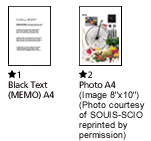
| MONOCROME (Draft Mode) | A4 300 dpi - 14 sec*1 | |
| COLOUR SEQUENCE (Draft Mode) | A4 800 dpi - 86 sec*2 A3 300 dpi - 25 sec |
|
 |
||
| EMBEDDED IMAGE PROCESSING | ||
| GAMMA CORRECTION | CRT (A,B), Printer (A,B,C), User defined table | |
| COLOUR CORRECTION | Dot matrix printer Thermal printer Inkjet printer CRT display User defined matrix |
|
| BRIGHTNESS | 7 levels | |
| LINE ART | Fixed threshold TET (Text Enhanced Technology) |
|
| DIGITAL HALFTONING | Error diffusion (A,B,C) Dither (A,B,C,D) User defined dither (A,B) |
|
| AREA SEPERATION | AAS (Auto Area Segmentation) | |
| SUPPORTED PLATFORMS | ||
| Microsoft® Windows® 95/98/2000, Windows®NT 4.0 Mac® OS 8.1 to 9.X |
||
| INTERFACES | ||
| SCSI (50 contact high density connector) x 2 USB* (Type-B receptacle connector) x 1 |
||
| ENVIRONMENTAL CONDITIONS | ||
| TEMPERATURE | 5° to 35° C (operating) | |
| HUMIDITY | 10% to 80% without condensation (operating) | |
| ELECTRICAL SPECIFICATIONS | ||
| VOLTAGE | AC220-240V | |
| FREQUENCY | 50 to 60Hz | |
| POWER CONSUMPTION | Approx 45W (without Transparency Unit/ADF) Approx 55W (with Transparency Unit/ADF) |
|
| DIMENSIONS (storage) | ||
| width x DEPTH x height | 656 x 458 x 176mm | |
| WEIGHT | Approx 22kg | |
| *To use the USB port, your PC must conform to PC98 specifications and have Windows®98 pre installed. Consult the documentation provided with your PC for further information about USB connectivity. Note also that printing errors may occur if non-standard cables or more than two hub connections are used. | ||
| BUNDLED SOFTWARE | ||
| Epson Scan | ||
| Photoshop® Elements 2.0 | ||
| Silverfast Ai 6.0 | ||
Product Options
| Product Code | Description |
|---|---|
| Media Handling Options | |
| B802343 | IEEE 1394 Scanner I/F Card |
| B808364 | Epson Network Image Express |
| B813203 | A3 Transparency Unit |
| B813213 | A3 Automatic Document Feeder |
| SCANNER TYPE | Flatbed colour image scanner | |
| SUB SCANNING METHOD | Movement of the mirror | |
| PHOTOELECTRIC DEVICE | Colour CCD line sensor | |
| SCANNING AREA | ||
|---|---|---|
| Scanning Platen | 310 x 437 mm (A3+) | |
| Transparency Unit | 290 x 420 mm | |
| Automatic Document Feeder | 297 x 420 mm (A3 or ledger size) | |
| LIGHT SOURCE | Xenon fluorescent lamp | |
| OPTICAL RESOLUTION | 1,600 x 3,200 dpi with Micro Step Drive | |
| OPTICAL DENSITY | 3.6 D | |
| PIXELS/LINE | 58,560 pixels | |
| OUTPUT RESOLUTION | ||
| Max 12,000 dpi 50 to 12,800 dpi (in 1 dpi steps) |
||
| EFFECTIVE PIXELS | 19,520 x 27,520 pixels at 1,600 dpi, 100% | |
| GRAYSCALE | ||
| 14-bit (16,384 grayscale levels) external 14-bit (16,384 grayscale levels) internal |
||
| COLOUR | ||
| 42-bit (4,398 billion colours) external 42-bit (4,398 billion colours) internal |
||
| SCANNING SPEED | ||
| MONOCROME (Draft Mode) | A4 300 dpi - 14 sec*1 | |
| COLOUR SEQUENCE (Draft Mode) | A4 800 dpi - 86 sec*2 A3 300 dpi - 25 sec |
|
|
||
| EMBEDDED IMAGE PROCESSING | ||
| GAMMA CORRECTION | CRT (A,B), Printer (A,B,C), User defined table | |
| COLOUR CORRECTION | Dot matrix printer Thermal printer Inkjet printer CRT display User defined matrix |
|
| BRIGHTNESS | 7 levels | |
| LINE ART | Fixed threshold TET (Text Enhanced Technology) |
|
| DIGITAL HALFTONING | Error diffusion (A,B,C) Dither (A,B,C,D) User defined dither (A,B) |
|
| AREA SEPERATION | AAS (Auto Area Segmentation) | |
| SUPPORTED PLATFORMS | ||
| Microsoft® Windows® 95/98/2000, Windows®NT 4.0 Mac® OS 8.1 to 9.X |
||
| INTERFACES | ||
| SCSI (50 contact high density connector) x 2 USB* (Type-B receptacle connector) x 1 |
||
| ENVIRONMENTAL CONDITIONS | ||
| TEMPERATURE | 5° to 35° C (operating) | |
| HUMIDITY | 10% to 80% without condensation (operating) | |
| ELECTRICAL SPECIFICATIONS | ||
| VOLTAGE | AC220-240V | |
| FREQUENCY | 50 to 60Hz | |
| POWER CONSUMPTION | Approx 45W (without Transparency Unit/ADF) Approx 55W (with Transparency Unit/ADF) |
|
| DIMENSIONS (storage) | ||
| width x DEPTH x height | 656 x 458 x 176mm | |
| WEIGHT | Approx 22kg | |
| *To use the USB port, your PC must conform to PC98 specifications and have Windows®98 pre installed. Consult the documentation provided with your PC for further information about USB connectivity. Note also that printing errors may occur if non-standard cables or more than two hub connections are used. | ||
| BUNDLED SOFTWARE | ||
| Epson Scan | ||
| Photoshop® Elements 2.0 | ||
| Silverfast Ai 6.0 | ||
Product Options
| Product Code | Description |
|---|---|
| Media Handling Options | |
| B802343 | IEEE 1394 Scanner I/F Card |
| B808364 | Epson Network Image Express |
| B813203 | A3 Transparency Unit |
| B813213 | A3 Automatic Document Feeder |